Outgrowing my Raspberry Pi: a 3U home server parts list
Immich pegged my Raspberry Pi 4 at 100% for days and Jellyfin gave up on 4K HEVC. Here is the x86 rackmount build I picked to replace it, and why each part.
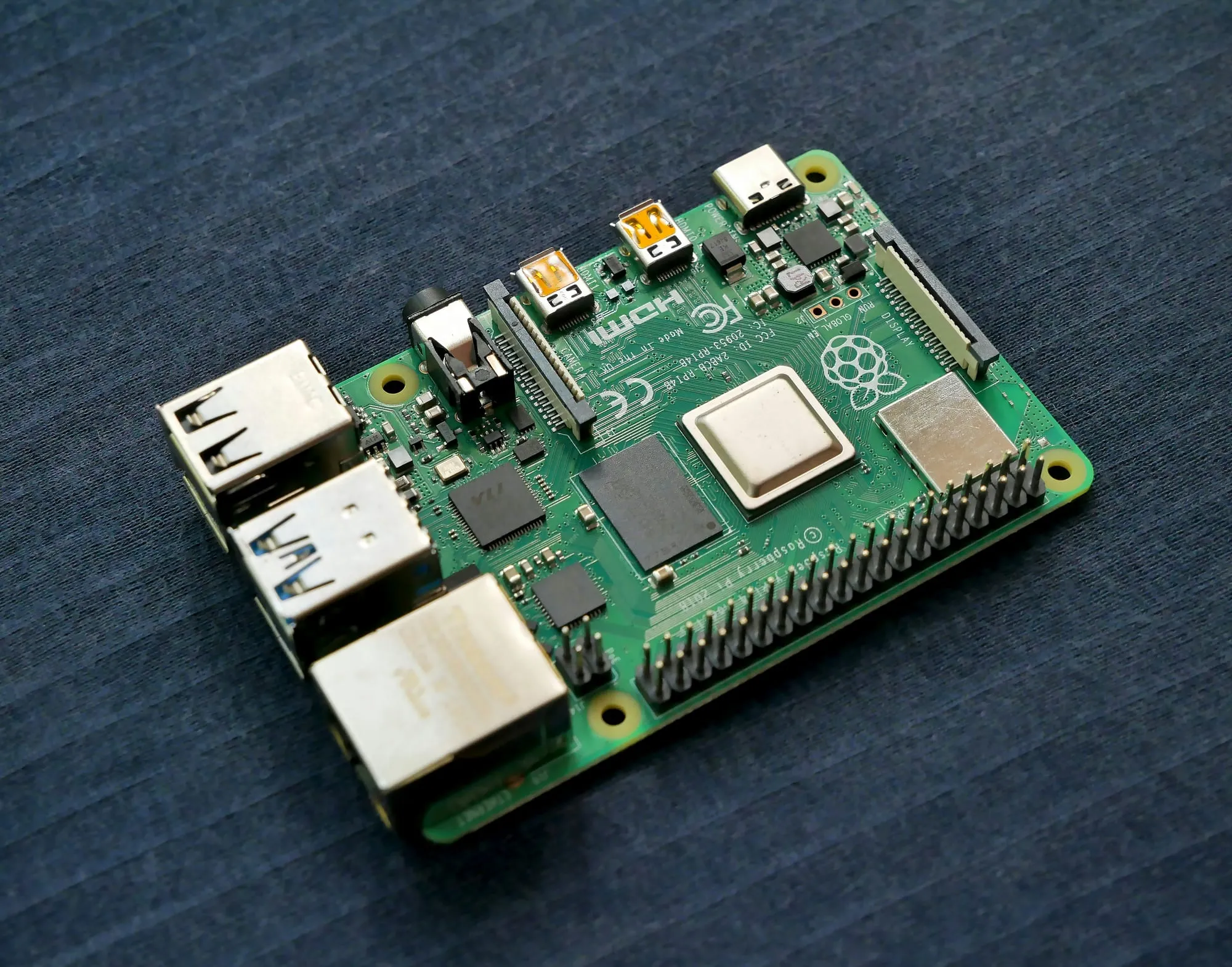
I pointed Immich at my photo library and let its face and object recognition run. It pegged all four cores of the Raspberry Pi 4 at 100% and stayed there for days. Not hours. Days. Meanwhile Jellyfin was quietly refusing to play anything 4K HEVC without turning it into a slideshow, and Nextcloud’s database had started taking visible seconds to answer during indexing.
The Pi was not broken. It had just been asked to do a job it was never sold for.
What the Pi was actually good at
For the first year the Raspberry Pi 4 was the right call and I would make it again. It cost less than a decent SSD, drew single-digit watts, sat on a shelf in silence, and taught me the whole self-hosting stack — Docker Compose, reverse proxies, TLS, backups — for the price of an evening. If you are starting a home lab today, start there. You learn the same lessons on hardware you will not resent replacing.
What killed it was not one workload. It was four, stacked.
Immich’s machine learning is CPU work with no shortcut on ARM at this tier. Jellyfin without hardware transcoding falls back to software, and 4K HEVC HDR is far past what those cores chew through in real time. Nextcloud wants a database that can actually seek. And all the storage hung off USB — cables, external enclosures and power bricks, with no redundancy, no hot-swap, and a shared bus for a bottleneck.
Each is survivable alone. Together they are a machine that is always busy and never fast.
What I actually needed
I wrote the constraints down before looking at a single part, mostly to stop myself buying a used enterprise server off eBay and heating a room with it.
It has to be cheap to run at idle, because a home server spends most of its life doing nothing while the meter keeps counting. It needs hardware video transcoding, so Jellyfin hands 4K to the GPU instead of melting the CPU. It has to be quiet enough to live in a flat. It should be ordinary, off-the-shelf parts I can replace in five years without hunting a dead SKU. And it needs to be rackmountable with somewhere for storage to grow, because storage always grows.
Notably absent: raw performance. Nothing here is a compute problem in the benchmark sense. It is an efficiency, I/O and fixed-function-silicon problem.
The parts, and why
Intel Core i3-12100. The transcoding requirement decided the platform before anything else. Intel’s QuickSync engine does 4K HEVC in fixed-function silicon, which means Jellyfin transcodes without meaningfully touching the CPU, and the UHD 730 iGPU on this chip carries it. Four modern cores handle Immich’s model runs, the Nextcloud database and a stack of containers without complaint. Idle draw is the other half: the target for this build is a system sitting somewhere around 10–15 W when nothing is happening, which is the number that matters when the box runs 8,760 hours a year.
I looked at the newer DDR5 platforms and could not justify them. For a workload that is idle most of the time and GPU-accelerated the rest, the extra memory bandwidth buys nothing, while the DDR5 kit and board cost real money. LGA 1700 with DDR4 is where the price-to-performance curve still bends in your favor.
GIGABYTE B760M DS3H DDR4. Four DDR4 slots so memory is a later problem, two M.2 NVMe slots, and mATX so there are expansion slots left for an HBA when eight bays stop being enough. Nothing exotic. That is the point.
Noctua NH-L9x65. Low-profile, four heatpipes, and quiet under the kind of spiky background load a home server generates — a transcode starting, an Immich job waking up, a backup kicking off. A cooler with headroom stays silent during those spikes instead of ramping.
Seasonic CORE GC-750 ATX 3.1. Far more wattage than this build will ever pull, deliberately. What I am buying is Japanese capacitors, quiet behavior at low load, and a seven-year warranty on the one component whose failure can take the rest of the machine with it.
Kingston FURY Beast 16 GB DDR4-3200 CL16 kit and a WD_BLACK SN7100 1 TB NVMe for the OS, application databases and Docker’s logs — everything with a write pattern you do not want on spinning rust. The kit leaves DIMM slots spare, which is the whole reason I wanted four of them.
Inter-Tech IPC 3U-3508. The chassis was the decision I went back and forth on longest. 3U beat 2U on three counts: airflow that does not depend on screaming 40 mm fans, room for a standard ATX power supply instead of a proprietary or SFX unit, and up to 100 mm of cooler clearance, which is what lets the Noctua fit at all. It carries eight hot-swap 3.5” bays, which is the part that makes this a ten-year box rather than a two-year one.
Storage: start small, grow live
The array starts as a single 4 TB WD Red Plus. CMR, not SMR — shingled drives behave badly under RAID rebuild, and a rebuild is exactly when you need a drive to behave.
The plan is OpenMediaVault on Linux software RAID, growing to a three-disk
RAID 5 array with mdadm as drives get added. Boring on purpose: mdadm
arrays are readable by any Linux machine, which matters the day the motherboard
dies and you need the data back somewhere else. Hardware RAID controllers tie
your array to a specific card.
What it cost
| Part | Price |
|---|---|
| Intel Core i3-12100 (tray) | 2 803 Kč |
| GIGABYTE B760M DS3H DDR4 | 2 135 Kč |
| Noctua NH-L9x65 | 1 467 Kč |
| Seasonic CORE GC-750 ATX 3.1 | 1 690 Kč |
| Kingston FURY Beast 16 GB DDR4-3200 CL16 kit (open box) | 3 009 Kč |
| WD_BLACK SN7100 1 TB NVMe | 4 099 Kč |
| Inter-Tech IPC 3U-3508 | 4 426 Kč |
| Total, without drives | 19 630 Kč |
That is about €810 at 24,14 Kč to the euro — Czech retail, August 2026.
Two things stand out in that table. The chassis is the single most expensive line — more than the CPU and motherboard put together — which feels wrong until you remember eight hot-swap bays and a decade of storage growth are what you are actually paying for.
The other is that memory and the NVMe are just over a third of the build. Both have roughly doubled in the nine months I spent thinking about this, and the AI buildout bidding up NAND and DRAM is why. Nothing about my requirements changed in that window. The bill did. If you have been sitting on a parts list, the sitting is now costing you money.
The takeaway
If you are staring at a struggling SBC and wondering what to replace it with, start by writing down which of your workloads is actually the problem. Mine looked like “the Pi is slow” and was really “Jellyfin needs QuickSync and Immich needs cores.” Those two facts picked the CPU, and the CPU picked everything else. Buy the fixed-function silicon your workload needs, then optimize for idle watts — not for benchmark scores you will never see.
What is in your rack? I would genuinely like to know what people settled on, especially anyone who went the used-enterprise-hardware route and can tell me what the power bill looked like.
Next up: the chassis did not fit the rack, and what I replaced it with. After that: assembly, cable management, thermal testing, and getting an OS on it.
← All posts